
How to Choose the Right Muslin Studio Backdrop for Your Photography Style
April 30, 2026How to Choose the Right Muslin Studio Backdrop for Your Photography Style
April 30, 2026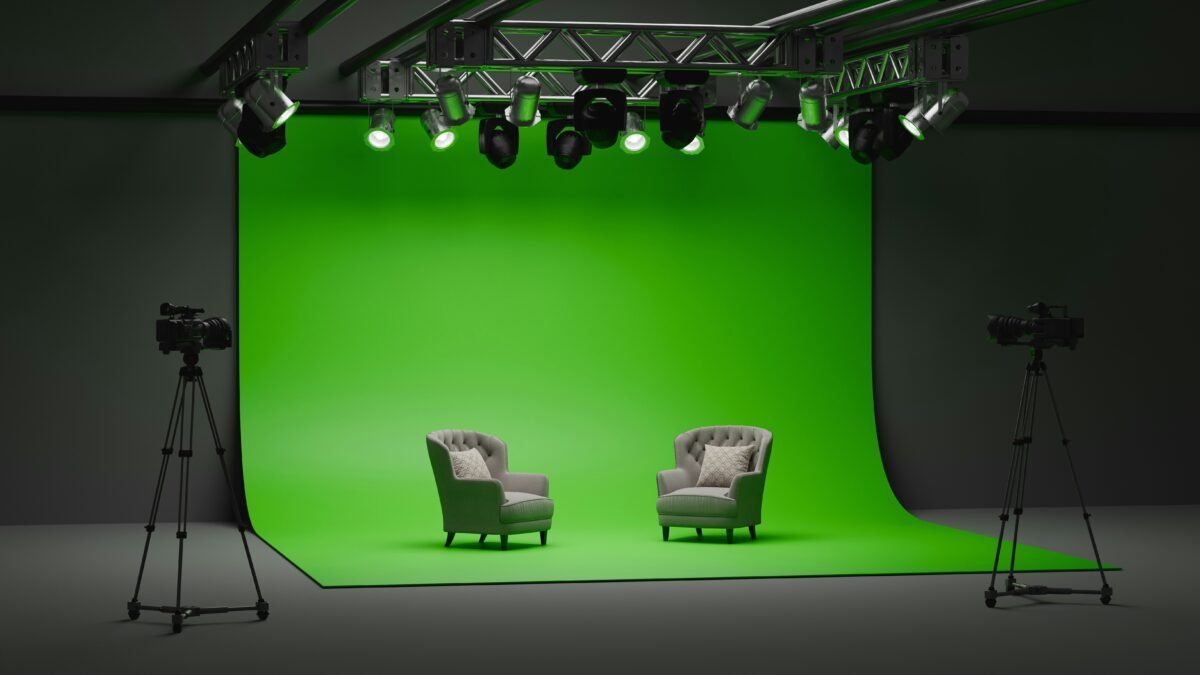
Introduction
Green screen gets a bad reputation in photography circles sometimes. Photographers who’ve never worked with a properly set-up chromakey system think of it as a shortcut — something film studios use when they can’t build a real set, or something budget school photographers use to paste kids in front of clip-art backgrounds.
That’s not what professional chromakey photography looks like. Not even close.
Done right — with the correct backdrop, proper lighting, and solid technique — chromakey gives you an almost supernatural creative freedom. You can place your subject in a Manhattan penthouse, on a sun-bleached Italian coastline, in the middle of a fantasy landscape, or against a perfectly clean branded corporate background without ever leaving your studio. And your client, looking at the finished image, won’t see a keyed composite. They’ll just see a great photograph.
Done wrong — with a cheap synthetic backdrop, uneven lighting, and a rushed key — you get exactly the bad-reputation version. Hard edges. Color spill. Patchy keying artifacts around fine details like hair and loose clothing. The kind of result that announces itself as fake before the viewer even consciously notices why.
The difference between these two outcomes is not primarily about the sophistication of your keying software or the number of hours you spend in post. The difference starts with the physical setup — and most critically, with the quality of the chromakey photography backdrop you’re working with.
This guide covers all of it. We’ll explain the science behind how chromakey actually works, walk through the specific properties that make a professional-grade chromakey backdrop essential for quality results, break down the lighting setup requirements, and give you a practical framework for getting professional composite work out of your chromakey studio — whether you’re building a new setup from scratch or troubleshooting problems with an existing one.
The Science Behind Chromakey — Why Color Uniformity Is Everything
Before you can fully understand why backdrop quality matters so much for chromakey work, it helps to understand what chromakey software is actually doing when it keys out a background.
The process works by isolating a specific color range in the image and removing every pixel that falls within that range, leaving those pixels transparent. The underlying principle sounds simple — just remove all the green (or blue) pixels — but the execution is considerably more nuanced than that.
Real-world images don’t have perfectly uniform green pixels across the entire backdrop area. Light falls differently at different points across the background. Shadows and highlights shift the perceived green value of the backdrop surface. Camera sensors capture color with some inherent variation. The backdrop material itself reflects and absorbs light differently depending on its surface characteristics.
The job of the keying software is to define a color range that captures all of these variations in the backdrop while leaving the subject’s colors intact. The wider the variation in the backdrop’s color values, the wider that range needs to be — and the wider the range, the more likely you are to clip fine details at the edge of the subject, lose delicate semi-transparent areas like hair and veil and loose fabric, and introduce artifacts in areas where the subject’s clothing or skin tone comes close to the backdrop’s color range.
This is why backdrop uniformity matters so much. A chromakey backdrop that delivers consistent, tight color values across its entire surface gives your keying software the best possible raw material to work with. It keeps the sampling range narrow, which means cleaner edges, better retention of fine details, and far less manual cleanup in post.
A backdrop that shifts color values across its surface — because of uneven dye application, synthetic material that reflects light unpredictably, or hot spots from the backdrop’s own sheen — forces you to expand your keying range to catch everything, which degrades the quality of your edge work considerably.
That is the fundamental case for investing in a professional-grade muslin chromakey photography backdrop rather than the cheapest green screen you can find.
Green vs. Blue — Which Chroma Color Should You Choose?
This question comes up constantly, and the honest answer is: it depends on your specific shooting situation. Here’s the breakdown.
Why Green Is the Default Choice for Most Photographers
Green has become the dominant chroma color in photography and film production for a practical reason that has nothing to do with preference: digital camera sensors are more sensitive to green than to any other color. This is a direct result of how digital camera sensors are designed — a standard Bayer pattern sensor has twice as many green photosites as red or blue, because green corresponds most closely to human luminance perception and carries more of the detail information in an image.
That higher sensitivity to green means that a green backdrop produces a cleaner, more detailed signal in your camera — less grain, less noise, and more raw color information for the keying software to work with. On a practical level, this translates to cleaner keys with better edge detail and less artifact generation.
Green is also generally a better choice when you’re shooting subjects wearing typical clothing colors — most wardrobe colors are reasonably well separated from green, which reduces the risk of inadvertently keying out elements of your subject along with the background.
The limitation of green: It doesn’t work when your subject is wearing green or has significant green elements in their clothing, accessories, or props. This is more common than you’d think — military uniforms, outdoor gear, many natural fabrics, St. Patrick’s Day events. If there’s any significant green in the frame on your subject, you’ll have a problem.
When Blue Is the Better Option
Blue screen is the older of the two chroma technologies — it was the standard for decades in film production before digital cameras shifted the balance toward green. It’s still the right choice in several specific situations.
When your subject is wearing green or any color that’s problematic against a green screen, a blue backdrop is the obvious solution. Blue also tends to work better when you’re doing outdoor or window-lit compositing — natural daylight has a strong green component, which can create spill issues on a green screen when shooting near natural light sources. A blue backdrop responds more cleanly in many natural-light studio setups.
There’s also a significant practical advantage to blue in certain skin tone situations. Some olive and darker skin tones contain enough green-adjacent coloration that aggressive green screen keying can occasionally introduce slight color shifts or transparency artifacts around skin edges. Blue tends to produce cleaner results in these situations.
The limitation of blue: Blue is a far more common color in everyday clothing than green. Denim, navy suits, corporate blue shirts, dresses — blue appears frequently in subject wardrobe, which means you’ll have the same “green in green” problem but with a much more commonly worn color. Always check your subject’s wardrobe against your backdrop color before you shoot.
The Practical Answer
Most professional chromakey studios that do high-volume composite work maintain both a green and a blue backdrop and choose based on what the subject is wearing. If you’re just starting out and need to make one choice, green is the right default for most shooting situations.
What Makes an Aavant Chromakey Backdrop Different
Let’s get specific about why the backdrop you choose has such a direct impact on the quality of your composite work — and what to look for in a professional-grade chromakey photography backdrop.
Fabric Matters More Than You Think
The single most impactful variable in chromakey backdrop quality — more than brand, more than price, more than anything printed on the product description — is the fabric.
Synthetic fabrics: polyester, nylon, polypropylene — are the default choice for cheap green screens because they’re inexpensive to produce and easy to print or dye to a consistent color in controlled manufacturing conditions. The problem is that synthetic fabrics reflect light. They have a slight sheen that creates specular highlights across the surface — points where the backdrop catches your studio lights and reflects them back with a slightly different color value than the surrounding fabric. Under studio lighting, a synthetic green screen typically has visible hot spots, and those hot spots create color value variation that degrades your key.
Premium 100% cotton muslin — the material that Aavant uses for all of our chromakey photography backdrops — behaves very differently. Cotton is a matte, light-absorbing fabric. It doesn’t reflect light specularly. It absorbs your studio lighting and re-emits a soft, even diffuse reflection that produces consistent color values across the entire surface. That consistency is exactly what chromakey software is designed to work with.
Our chromakey backdrops are woven from 165 GSM premium cotton muslin — the same material and weight standard that defines our full professional backdrop range. The chromakey color is applied through a precision dye process that achieves broadcast-standard color values with consistency maintained across the entire surface area. We test color uniformity as part of our quality control process — if a backdrop has significant color variation, it doesn’t leave our facility.
Weight and Drape
A backdrop that doesn’t hang flat creates physical wrinkles and folds that cast shadows and create additional tonal variation across the background surface. This is a worse problem than it sounds — every fold shadow creates a zone where the backdrop’s color value is shifted by the shadow depth, and that shifting color value adds complexity to your keying challenge.
165 GSM cotton muslin has enough weight and structural integrity to hang flat naturally under its own gravity, which minimizes the fold and wrinkle problem significantly compared to lighter synthetic alternatives. For critical commercial work, you can further minimize this by steaming the backdrop before a shoot — cotton muslin responds beautifully to steaming in a way that synthetic fabrics do not.
Flame Retardancy
All Aavant chromakey backdrops are treated with international-standard flame retardants as standard. This matters for commercial studio compliance, broadcast studio requirements, and any setting where fire safety regulations apply to on-set materials. If you’re working in a broadcast facility, a commercial production space, or any venue with applicable fire safety requirements, always verify that your backdrop is correctly certified.
Setting Up Your Chromakey Studio — The Lighting Framework
Here’s the part where a lot of photographers who are new to chromakey work run into trouble. They buy a decent backdrop, set up their regular portrait lighting, and then wonder why their key is coming out messy. The issue, almost invariably, is lighting — specifically, that they haven’t separated their backdrop lighting from their subject lighting.
Proper chromakey studio lighting has two completely independent tasks: lighting the backdrop and lighting the subject. These two tasks work against each other if you try to handle them with the same lights, and getting them right requires separate consideration of each.
Lighting the Backdrop
Your chromakey backdrop needs to be lit evenly — consistently across its entire surface, from edge to edge, from top to bottom. The goal is to eliminate any significant variation in the brightness of the backdrop so that its color value is as consistent as possible throughout the frame.
To achieve this, you need to light the backdrop separately from your subject, using lights that are positioned to provide even coverage of the backdrop’s surface. Standard approach: two lights positioned at 45-degree angles to the backdrop surface, at a height slightly above the center of the backdrop, aimed back across the surface. The two lights should be of equal power output and positioned at equal distances from the backdrop center, so that the coverage from each side overlaps evenly in the middle.
The intensity of your backdrop lighting should produce an exposure on the backdrop that is approximately equal to the exposure on your subject — within about half a stop. If the backdrop is significantly underexposed relative to your subject, you’ll get dark, shadow-contaminated color values that are difficult to key cleanly. If it’s significantly overexposed, you’ll get blown-out, washed-out color values that can bleed toward white and also key unevenly.
Use a color meter or shoot a test frame and check your backdrop exposure independently of your subject exposure. This small step saves an enormous amount of post-processing frustration.
Separating Subject from Backdrop
One of the most common technical mistakes in chromakey setups is shooting with the subject too close to the backdrop. When your subject is close to the backdrop, two problems emerge: their body casts a shadow on the backdrop surface, creating dark zones that key unevenly, and the green or blue light from the backdrop reflects off their clothing, skin, and any semi-transparent areas — this is called color spill, and it’s the enemy of a clean composite.
The solution is distance. Move your subject as far forward from the backdrop as your studio space allows. The minimum working distance for practical professional results is generally around 6 to 8 feet between the subject and the backdrop surface. More distance is better. With adequate separation, backdrop shadows fall below and behind the subject rather than onto the backdrop surface, and light spill from the backdrop doesn’t have the angle or intensity to significantly contaminate the subject.
Managing Color Spill on the Subject
Even with good subject-to-backdrop distance, you’ll often see a degree of color spill — the green or blue light from your illuminated backdrop wrapping around the edges of your subject and introducing a colored fringe. Some spill is almost inevitable in a properly lit chromakey setup; the question is how to minimize it and how to handle what remains.
A practical physical control for spill is to position a white or silver reflector on the opposite side of the subject from the backdrop, angled to bounce a soft warm fill back toward the edges of the subject. This partially counteracts the cool-colored spill from the backdrop by introducing opposing light color at the edges.
In post, virtually every professional keying tool includes a spill suppression function — look for “spill removal,” “spill correction,” or “edge color correction” in your software. Use it. Even a subtle spill suppression pass will clean up edge fringing significantly and produce a more natural-looking composite edge.
Recommended Lighting Setup Overview
- Two background lights — at 45-degree angles to the backdrop, equal power, producing even coverage
- Key light — primary subject illumination, positioned for your desired portrait aesthetic
- Fill light or reflector — to control subject shadow ratio and optionally counteract spill
- Hair/rim light (optional) — to separate subject from background, particularly useful for dark hair against a brighter backdrop
The subject lights and backdrop lights should be on separate circuits or controllable independently so you can adjust each without affecting the other.
Shooting for the Best Key — Practical Camera Settings
Once your lighting is dialed in, a few camera-side adjustments will make your keying results significantly better.
Shoot at the lowest ISO your light levels allow. Digital noise adds color variation to your backdrop area, which widens the color range you need to key and can introduce subtle grain artifacts around your subject’s edges in the final composite. Keep your ISO as low as possible — ISO 100 to 400 is the ideal range for controlled studio chromakey work.
Use a medium aperture. Extreme shallow depth of field (wide-open aperture like f/1.4 or f/1.8) will blur the backdrop, which sounds like it would help keying but actually makes it harder — because bokeh introduces gradual tonal transitions at the edges that are genuinely difficult to key cleanly. An aperture in the f/5.6 to f/8 range keeps the backdrop reasonably sharp and your keying edges crisp.
Shoot in RAW. RAW files give your editing software more color data to work with when sampling the backdrop color, which produces a more accurate initial key. JPEG compression introduces color artifacts that can complicate the keying process, particularly around subject edges.
Avoid motion blur. Any motion blur on the subject creates semi-transparent edge zones in the image — partial-value pixels that contain both subject color and backdrop color mixed together. These are the hardest possible zones to key cleanly. For video, use a shutter speed fast enough to freeze motion at your frame rate. For still photography, keep your shutter speed high enough to eliminate any blur from subject movement.
Common Chromakey Problems and How to Fix Them
Even experienced photographers encounter chromakey issues from time to time. Here are the most frequent problems and their solutions.
Problem: Patchy, inconsistent keying across the backdrop area Cause: Uneven backdrop lighting — some areas brighter or darker than others, creating variation in the backdrop’s color value. Fix: Check your backdrop lighting setup for even coverage. A good way to diagnose this is to shoot a test frame with the subject removed and examine the backdrop histogram. It should show a single, tight peak for the chroma color — any spreading of that peak indicates lighting inconsistency.
Problem: Green or blue fringing around the subject edges Cause: Color spill from the backdrop lighting wrapping around the subject. Fix: Increase subject-to-backdrop distance. Add opposing fill light at subject edges. Apply spill suppression in post.
Problem: Fine hair detail keying out along with the backdrop Cause: Backdrop color value too similar to the hair tone (typically in dark or naturally-lit scenarios), or the keying range too wide. Fix: Improve backdrop lighting evenness. Use a slightly longer lens to reduce backdrop depth-of-field bokeh effects. Use dedicated hair masking tools in your keying software — most professional tools (DaVinci Resolve, After Effects, Fusion) have refinement controls specifically for fine detail retention.
Problem: Subject’s clothing partially keying out Cause: The subject is wearing a color too close to the chroma color. Fix: Switch to the alternative chroma color (from green to blue or vice versa). Always check subject wardrobe against your chroma color before the session.
Problem: Shadow on the backdrop from the subject Cause: Subject too close to the backdrop surface. Fix: Move the subject further from the backdrop. Increase backdrop lighting intensity slightly to lift the shadow areas.
Chromakey for Video vs. Still Photography — Key Differences
The fundamentals of chromakey are the same whether you’re shooting stills or video, but there are a few meaningful differences in how you approach the setup and the keying workflow for each.
For still photography, the primary chromakey challenges are getting a clean single-frame key with well-preserved edge detail. You have the luxury of working on one image at a time, which means you can do extensive frame-by-frame refinement if needed. The Aavant chromakey backdrop’s color consistency is the most important factor for still work — an even surface means consistent sampling across the frame.
For video production, the demands are more complex because you’re keying hundreds or thousands of frames, and any inconsistency in the backdrop — or in the subject’s movement relative to the lighting — will create visible flickering or edge variation in the keyed footage. Here, the quality of the backdrop matters even more, because you’re relying on consistent color performance across the full duration of the recording rather than just a single frame. Motion also introduces new challenges — a subject moving quickly toward or away from the backdrop will have slightly different spill characteristics at different points in the movement, and the keying needs to handle that variation smoothly.
For serious video production work, a dedicated chromakey lighting setup with carefully controlled and measured light levels is essential. Many professional video production setups use light meters to verify backdrop exposure at multiple points across the surface before beginning a shoot, ensuring the maximum possible consistency frame to frame.
Building Your Chromakey Setup — A Practical Starting Point
If you’re putting together a chromakey studio from scratch, here’s a practical entry-point setup that will serve professional-quality results for most photography and videography applications.
Backdrop: Aavant Chromakey Solid — available in broadcast-standard green and chroma blue. Professional 165 GSM cotton muslin. Choose your size based on your shooting needs — for typical single-subject portrait or video work, a 10 × 12 foot backdrop is a practical starting point. If you’re shooting full-body or multiple subjects, go larger.
Backdrop support: A sturdy backdrop stand system with a horizontal crossbar and spring-loaded end clamps. The crossbar needs to be wide enough to span your backdrop without creating significant sag in the center — consider a support center stand for wider backdrops.
Backdrop lights: Two continuous light sources or monoblock strobes positioned at 45 degrees to the backdrop, at equal distance and power. Softboxes reduce hot spots. For video work, continuous LED panels with high CRI ratings are the practical choice.
Subject lights: Your regular portrait or video lighting kit. A basic three-light setup (key, fill, rim/hair) is sufficient for most composite work.
Camera: Any current professional mirrorless or DSLR body with RAW shooting capability.
Software: For still photography — Adobe Photoshop’s Select Subject + Refine Edge, or dedicated masking tools. For video — DaVinci Resolve Fusion (built in, free), Adobe After Effects with the Keylight plug-in, or Blackmagic’s dedicated Ultra keyer for broadcast work.
The Bottom Line on Chromakey Backdrop Quality
We want to be direct about this, because it’s something photographers learn through hard experience more often than they hear it upfront: the backdrop is the foundation of your entire chromakey system. Not the software. Not the lights. The backdrop.
A professional-grade chromakey photography backdrop that delivers broadcast-standard color uniformity across its entire surface — like Aavant’s chromakey muslin range — gives every other component of your system the best possible raw material to work with. It means your keying software doesn’t have to work as hard. It means your post-processing time drops significantly. It means your composite edges are cleaner, your fine detail retention is better, and your finished images look like polished professional work rather than obvious post-production efforts.
A cheap, inconsistent backdrop doesn’t just save you money. It costs you time, image quality, and client confidence — and it makes every other part of your setup work harder than it needs to.
We’ve been producing professional chromakey photography backdrops for decades. Our color standards and quality control processes are genuinely among the best in the industry, and the photographers and video producers who work with our chromakey range tend to stay with it — because once you’ve shot against a backdrop where the color is truly consistent and the keying just works, going back to anything less feels like a step backward.
If you have questions about our chromakey range — sizing, specific color values, setup recommendations, or anything else — reach out to our team at aavant@aavant.in. We’re always happy to talk through your setup and make sure you’re getting exactly what you need.
Browse the full Aavant Chromakey Solids range at aavant.in.
Aavant has been the global leader in professional backdrops for nearly 30 years. ISO 9001:2015 Certified. Worldwide shipping. Browse our collections at aavant.in | aavant@aavant.in | @aavantindia